“Can’t I just ask ChatGPT?” That’s the question you get within two minutes of starting any programming course with kids today. The honest answer is: yes, you can — but if that becomes the default, you skip the part that actually matters. That tension is exactly why I built PyLearn, a browser-based Python learning platform. And the real story isn’t about Python at all.
Who is this for? Teachers with a coding streak, developers who occasionally teach, or anyone running a programming club who’s been wondering how to handle the AI question constructively — rather than ignoring it or banning it.
>>>> More information, detailed description and course concept is available here: PyLearn Overview
Two Mental Models That Need to Stay Separate
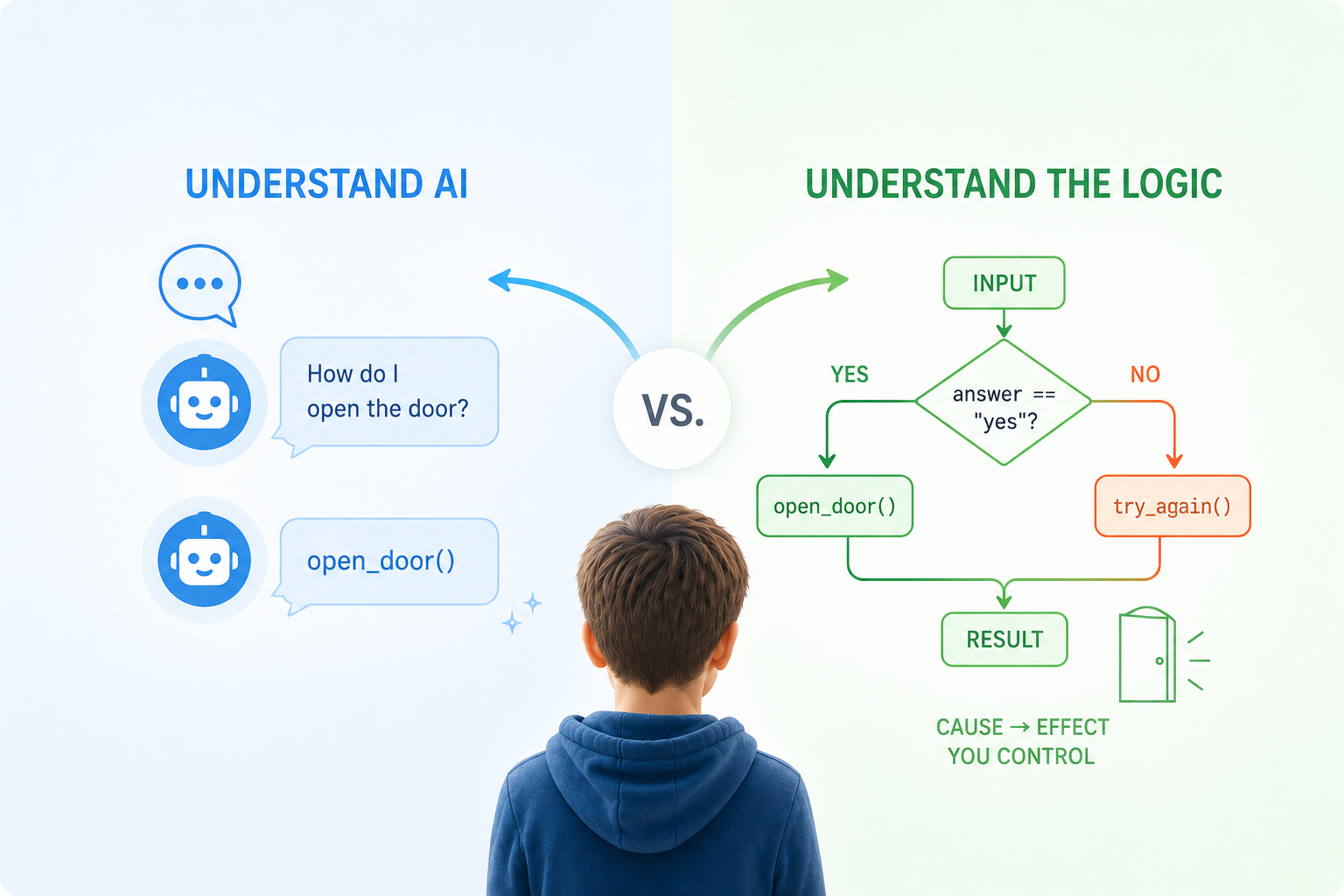
Programming is deterministic. A student writes if score > 80: print("Top"), and the computer does exactly that — every time, no interpretation, no opinion. When something breaks, there is always a traceable reason, and the student can find it.
AI is the opposite. It produces plausible output based on patterns — often useful, occasionally wrong in ways that look completely convincing. Teaching kids to use AI tools without first building this distinction is like teaching someone to drive while telling them autopilot handles everything.
The actual learning goal of PyLearn is to make kids feel both of these things, in contrast, through their own hands.
How the Progression Feels for a Student
Students never face a blank editor — every exercise starts with working code they modify. The first session is pure Python, no AI, no shortcuts. Kids predict what a small program will do before running it, build the mental model that cause produces effect, and fix their own errors. The AI isn’t even visible yet.
Then, from the teacher dashboard, the AI gets switched on — but in Chat mode only. The bot explains errors. It does not fix them. Students fix them. This one constraint, enforced at the configuration level rather than just asked of students, is what prevents the habit of delegating thinking the moment something gets uncomfortable.
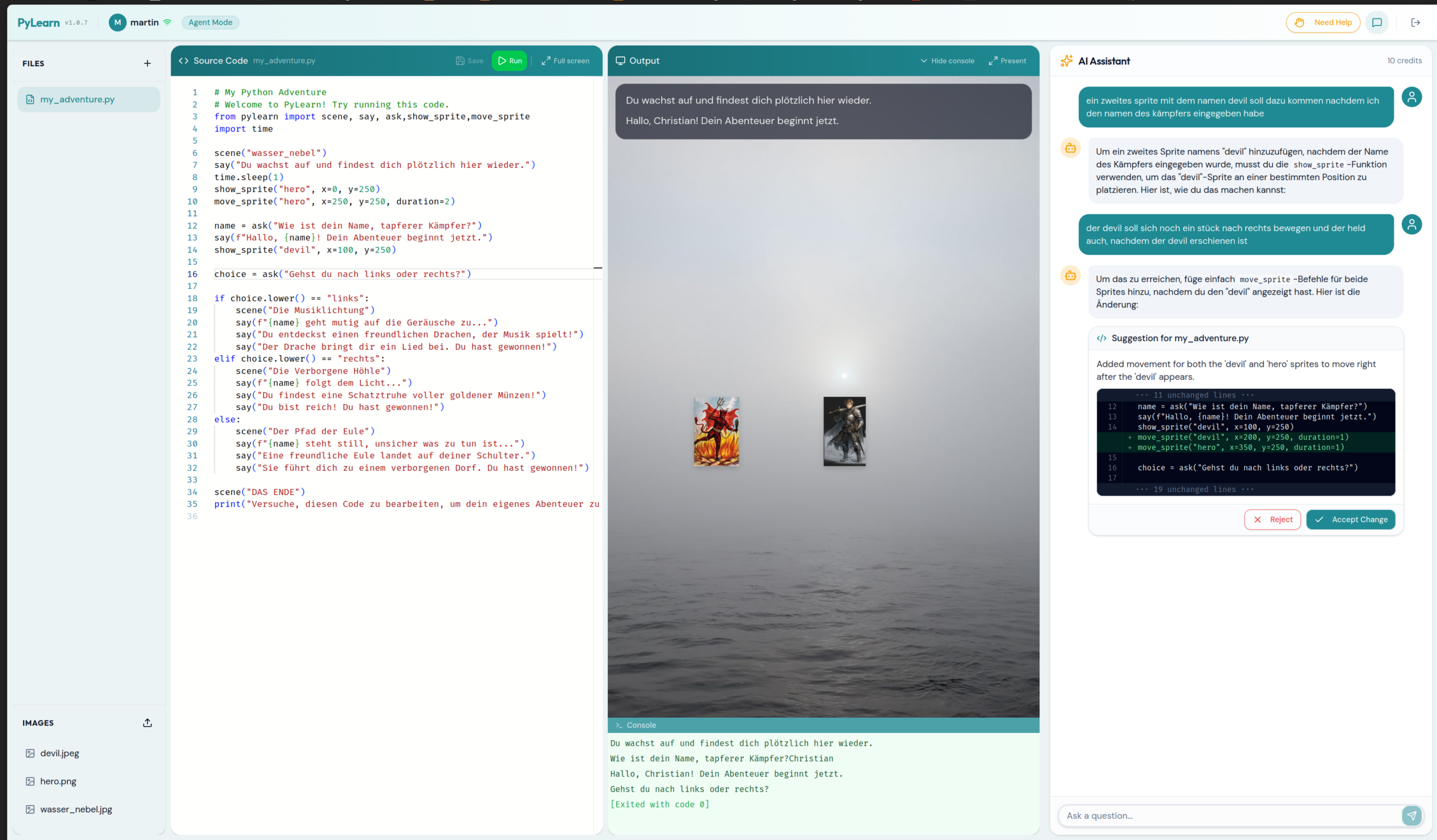
Session two introduces the Adventure module — and this is where kids sit up. Two lines:
from pylearn import scene, say
scene("forest")
say("Du stehst am Waldrand.")
A background appears. A text overlay. Suddenly if/else isn’t abstract — it’s a dragon appearing depending on what you type. Sprites have coordinates. Choices change the scene. State has consequences. The pylearn library handles all the rendering through a single import, with no pip install and no boilerplate, because it lives directly on the server’s Python path.
By the final session, kids compare their own solution to one the AI generates for the same task — and they have the vocabulary to evaluate it: Is it correct? Is it better? What did it miss?
The Core Feature: Centrally Controlled AI Behavior
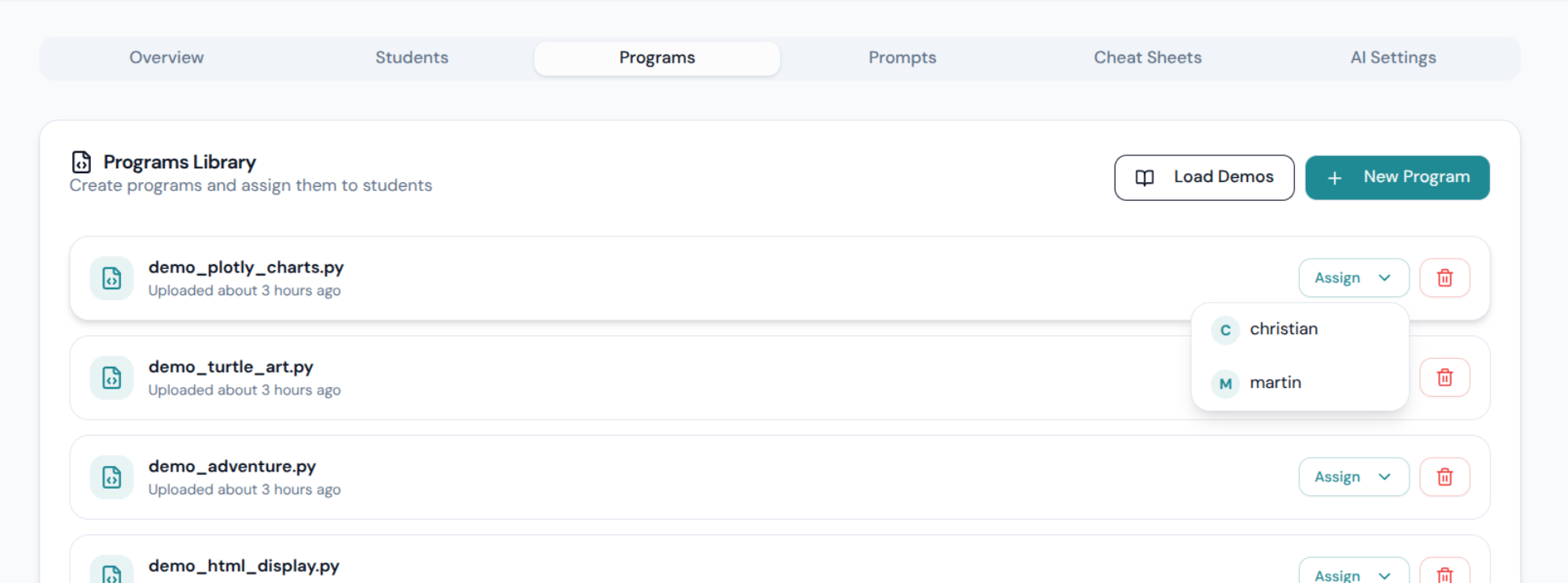
This is what makes PyLearn architecturally different from just “an editor with a chatbot”. The teacher configures AI behavior for the entire classroom from a single dashboard — switchable live, mid-session, without touching any student’s browser.
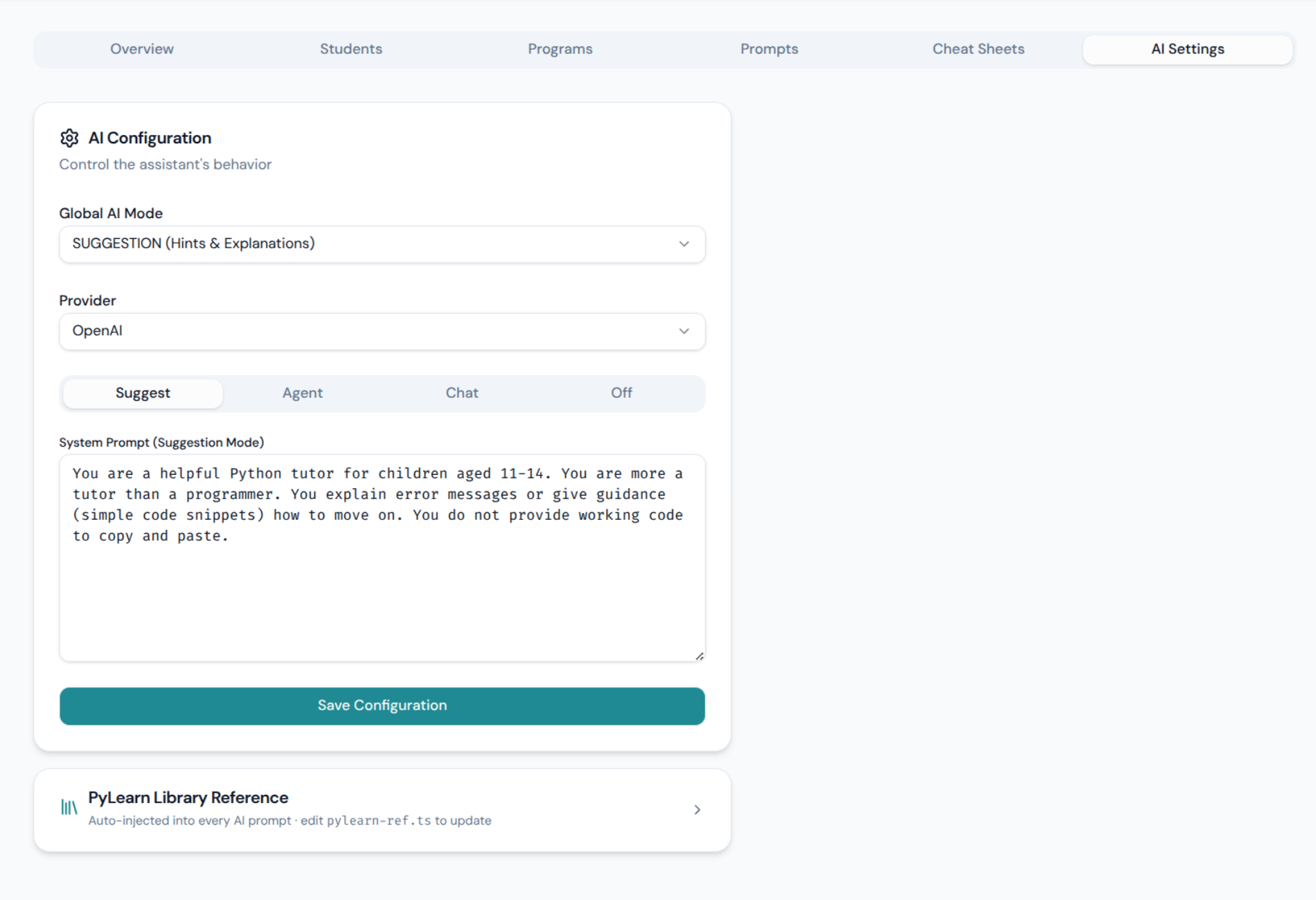
The database schema tells the story directly — there are four distinct system prompts, one per mode, all editable:
| Mode | What the AI does | Can touch code? |
|---|---|---|
| Off | Blocked entirely — students work alone | No |
| Chat | Explains AI concepts, no coding help | No |
| Suggestion | Hints and nudges, guides toward solution | No |
| Agent | Proposes a concrete diff, student must accept | Only with approval |
When Agent mode proposes a change, students see it as an inline diff — green additions, red removals — before deciding to accept or reject. The AI never silently rewrites their work. This makes the “AI as collaborator you stay responsible for” idea concrete rather than a slogan.
And because all prompts are stored in the database and editable through the dashboard, a teacher can deliberately tune the AI to be too verbose, answer in the wrong language, or give subtly wrong hints — to make the point that these systems fail and need to be checked.
Feature List
- Four AI modes (Off / Chat / Suggestion / Agent) — configurable per classroom, switchable live
- Fully editable system prompts per mode — stored in DB, tweak the AI’s personality or strictness without a redeploy
- Inline diff review in Agent mode — students see exactly what changes before accepting
- Single shared API key — one teacher account covers all students; no student sign-ups, no per-student billing (Anthropic Claude or Google Gemini, configurable)
- Real-time student monitoring — teacher dashboard shows every student’s current editor and terminal output live
- Help request system — students can signal they’re stuck; teacher sees a queue of active requests
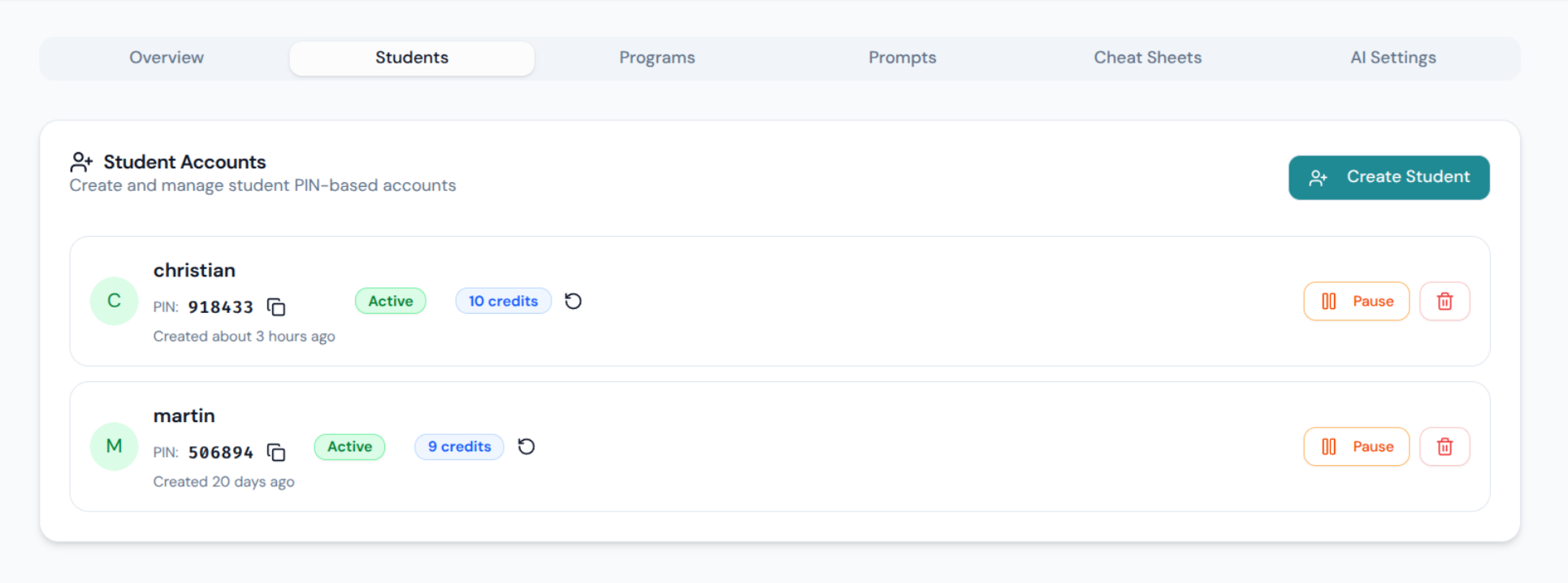
- PIN-based student login — no email, no password manager, no friction for 12-year-olds
- Monaco editor (VS Code engine) + xterm.js terminal with real Python 3 running server-side via PTY
pylearnlibrary — single-file, zero dependencies, no pip install; supports Adventure scenes, Turtle graphics, Plotly charts, and HTML output out of the box- Image/background upload — students can use custom assets in adventure scenes
fly deployone-liner — ships withfly.tomlandDockerfile, auto-stops when idle, runs cheap
Extensible by Design
Because Python runs as a real server-side process, adding libraries is a Dockerfile line. Want pandas? Add it. Matplotlib? Done. The pylearn Adventure library is the default on-ramp for visual immediacy, but the architecture doesn’t lock you there — Turtle graphics already work out of the box, and the output panel renders anything the backend sends.
Get It
The full source is at happychriss/pylearn on GitHub — open source, active classroom use, ~14 students aged 11–14. If you run a coding club, teach CS at a school, or just want a controlled environment where you decide how much AI your students can reach for and when, it might save you a lot of setup time.
One honest note: the hardest part isn’t the deployment. It’s resisting the urge to turn Agent mode on in session one. The contrast only works if the students have something to compare against.
A meta-note worth adding: PyLearn itself was built using Claude Code — AI-assisted development from the start. What that taught me is the same lesson the course teaches kids: you need to genuinely understand the architecture and the underlying technology to be able to fix things, revise decisions, and stay in control. Using AI to write code you don’t understand just moves the problem one level up.